
Free Rewards with Anime Zero Codes
Find Anime Zero codes for free coins, gems, and lucky spins, plus simple steps to claim your rewards in Roblox.
No Roblox login needed
Browse Anime Zero Codes without signing in. This website never asks for your Roblox password.
Rewards upfront
Check the reward text and any level requirement beside each entry before you copy.
New to Anime Zero? Start here
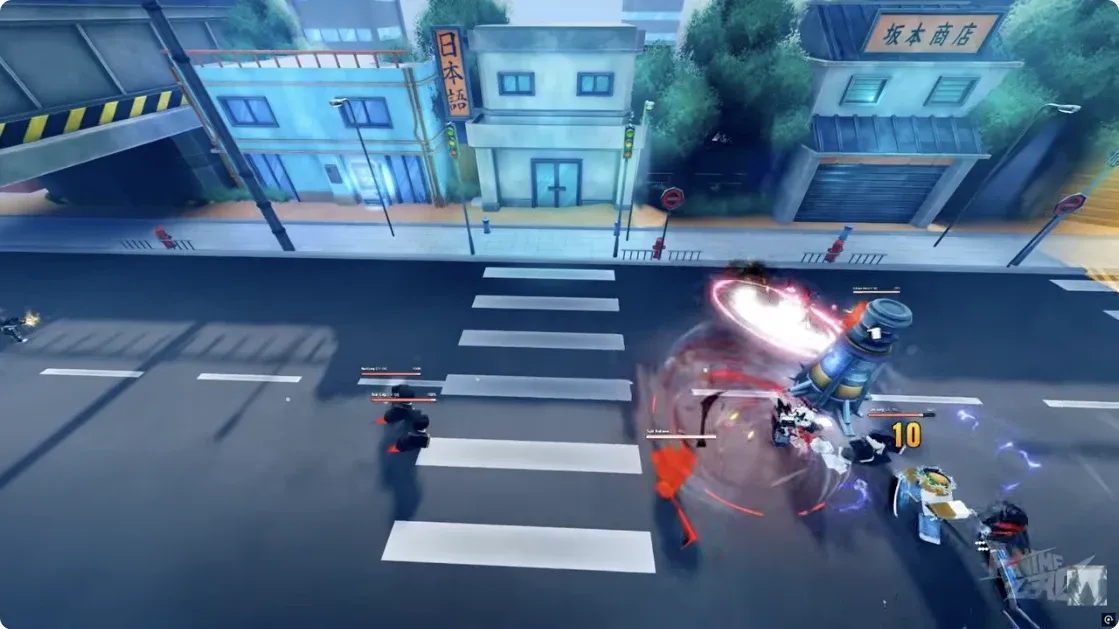
Anime Zero is an anime dungeon crawler RPG on Roblox, with combat, character upgrades, and different game modes. Use Anime Zero Codes to check reported rewards between sessions; read each entry before redeeming.
-

Explore areas
Get familiar with the lobby before heading into combat. Use Areas to explore.
-

Build your skills
Open the Skill Tree to inspect character upgrades before spending resources.
-

Take on quests
Check Quests for objectives. Your character level matters when claiming some code rewards.
Still in development: expect bugs and changes.
- Total visits
- 11,419,849
- Online at check
- 39,265
- Max per server
- 20
- Roblox favorites
- 46,121
Roblox snapshot · Oct 9, 2026, 5:53 AM UTC
Visits count entries into the game; online players show activity at the recorded check. Server size is the maximum players per server. Current activity can differ from this snapshot.
Anime Zero Codes or character rankings?
Anime Zero Codes
Open the full list for reward details, requirements, and codes to copy. Reported rewards include coins, gems, lucky spins, and trait rerolls. Read each entry first: amounts differ, and some codes require a higher character level.
Browse Anime Zero CodesAnime Zero Tier List
Compare characters before spending your resources.
Explore Tier ListHow to redeem Anime Zero Codes
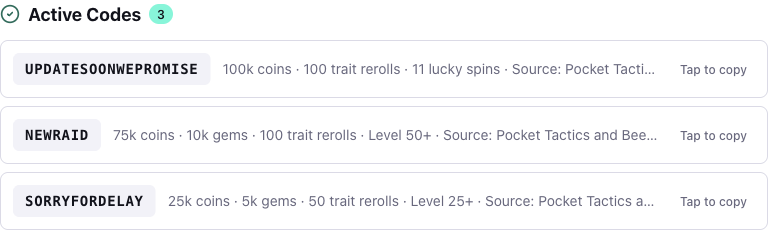
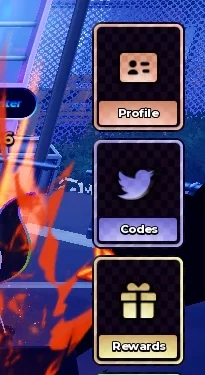
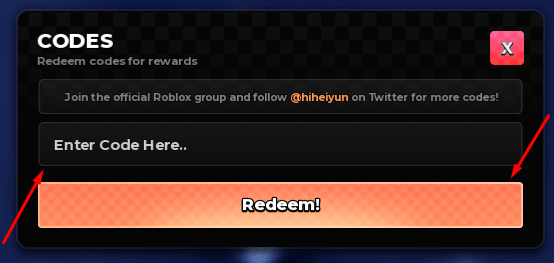
Follow the screenshots from the code list to the game menu. Copy here and claim in Roblox. The Redeem! response confirms the result.
-
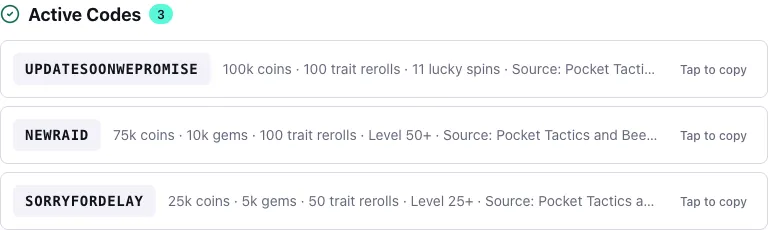
1 Copy Anime Zero Codes
Open the code list. Check the level requirement, then tap a code to copy.
-
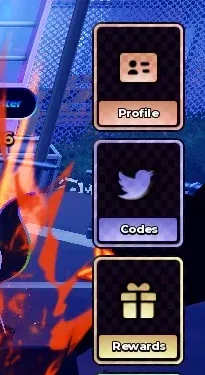
2 Open Codes
In the lobby, tap Codes on the right.
-
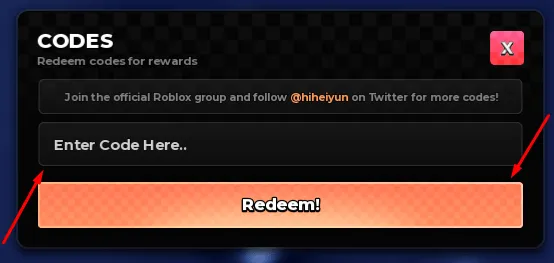
3 Paste & redeem
Paste the code, press Redeem!, and check the game message.
Anime Zero Codes FAQ
Check the answer you need, then head to the code list or back into the game.
How do I redeem Anime Zero Codes?
Are Anime Zero Codes free?
Why are my Anime Zero Codes not working?
Which Anime Zero Codes require level 25 or level 50?
Which Anime Zero Codes give coins, gems, or lucky spins?
Where do the Anime Zero Codes on this site come from?
When are new Anime Zero Codes released?
How can I save Anime Zero Codes for my next session?
Save Anime Zero Codes for your next session
Bookmark Anime Zero Codes for your next Roblox session. Check the review date and level requirements before redeeming. Follow the Tier List section as character rankings become available.
On desktop, press ⌘D on Mac or Ctrl+D on Windows. On mobile, open your browser menu and choose Bookmark or Add to Favorites.